
Ever thought a 27-inch monitor might transform your gaming setup? This size blends sharp, detailed visuals with a compact design that keeps your desk open for other gear. It offers an immersive view for both casual gamers and competitive players without crowding your workspace. In this post, we break down the key features and benefits of 27-inch gaming monitors so you can decide if it's the right choice for you. Read on to see how this size can boost your gaming experience.
27-Inch Gaming Monitor Buying Guide
A 27-inch gaming monitor strikes a balance between immersive visuals and a neat desk setup. It gives you enough screen space to see every detail while leaving room for your keyboard and other gear. This size works well in both casual and competitive setups, offering clear images and a comfortable viewing angle. In short, if you want high performance without a cluttered desk, a 27-inch display is a smart choice.
When shopping for a 27-inch gaming monitor, resolution is a key factor. Many models come in 1080p, which works well for tighter budgets, while 1440p gives crisper images and 4K offers the highest clarity for those who demand it. Monitors usually start at 144Hz to keep motion smooth during fast games, and many models push 165Hz or more. The panel type is also important. TN panels can offer response times under 1 ms, IPS panels deliver more accurate colors, and VA panels provide deeper contrast. OLED screens produce vivid colors and true blacks, but they usually cost more.
Another feature to look for is adaptive sync, which helps prevent screen tearing. G-Sync is ideal for NVIDIA setups, and FreeSync works well with AMD graphics, so you can choose based on your system. Other aspects like motion handling, overdrive settings (which help reduce ghosting), and overall response time are critical for precise performance during intense gaming moments. Plus, many models include adjustments like tilt, height, and swivel to keep you comfortable during long sessions.
For the best experience, it's a good idea to sit at least 3 feet (91 cm) away from your screen. Key performance numbers like refresh-rate accuracy, response time, and color consistency are useful benchmarks when comparing monitors.
Top 27-Inch Gaming Monitor Reviews and Comparisons
There is a range of 27-inch gaming monitors to suit every player. Whether you have a tight budget or want top performance, there's an option for you. For example, the Philips Momentum 27M1F5500P offers a clear 1440p display with a fast 165Hz IPS panel. This means you get sharp images and accurate colors, which is great for competitive play. Meanwhile, the AOC Gaming 27G2SPU gives you a smooth 1080p screen paired with a 144Hz refresh rate and a VA panel, all at a friendly price.
If you need a mix of affordability and vibrant visuals, the MSI MAG 275CQRF-QD could be the right pick. It comes with a 1440p display and a 165Hz QD-IPS panel known for bright colors and crisp details. And if you’re leaning toward advanced features, the Cooler Master Tempest GP27U pushes a 4K resolution with a 144Hz IPS panel along with several premium options, though it comes with a higher price tag. These choices cover a broad spectrum of price and performance options, making it easy to find one that fits your gaming setup.
| Model | Resolution | Refresh Rate | Panel Type | Approx. Price |
|---|---|---|---|---|
| Philips Momentum 27M1F5500P | 1440p | 165Hz | IPS | $400–$500 |
| AOC Gaming 27G2SPU | 1080p | 144Hz | VA | $250–$300 |
| MSI MAG 275CQRF-QD | 1440p | 165Hz | QD-IPS | $350–$450 |
| Cooler Master Tempest GP27U | 4K | 144Hz | IPS | $600+ |
These monitors rank among the top choices for different budgets. Gamers on a budget might lean toward the AOC Gaming 27G2SPU, while those with a moderate budget could opt for the MSI MAG 275CQRF-QD. If you’re after high-end visuals and extra features, the Cooler Master Tempest GP27U is a strong contender.
High-Performance Panels and Refresh Rate Options for 27-Inch Monitors
Gaming monitors need to find the right balance between sharp resolution and a high refresh rate (how often the screen updates per second). Many models start at 144 Hz, which is a solid base for smooth, competitive play.
For those who want even crisper motion and less blur, the MSI MAG 274QP X24 uses a 2.5K resolution with a 240 Hz refresh rate. We tested this setup and saw that the higher refresh rate makes fast scenes feel more fluid without losing image detail.
Competitive gamers may consider the Alienware AW2524HF. It pushes the limits with a 500 Hz refresh rate at 1080p. This ultra-fast rate helps cut down on the split-second delay between a button press and what you see on screen, which can be crucial in eSports.
The Acer Predator X32 X3 offers a different twist for those who crave 4K clarity. It runs at 240 Hz in 4K mode and can boost to 480 Hz at 1080p using a dual-refresh mode. This shows that while higher resolution delivers sharper images, it can come with a trade-off in maximum refresh rate.
Different panel types also have their perks. TN panels often achieve response times under 1 ms, which is excellent for speed. IPS panels deliver accurate colors, VA panels offer strong contrast, and OLED panels provide very deep blacks and vivid images.
Choose the panel that fits your priorities and enjoy the balance of performance that suits your gaming style.
Design and Ergonomics of 27-Inch Gaming Monitors
Most 27-inch gaming monitors come with versatile stands that let you tilt, swivel, change height, and pivot the screen. They also include a 100 × 100 mm VESA mount, making it easy to set up your monitor exactly where you want it on any desk. This design helps you keep the screen at your ideal eye level, which can reduce neck strain during long sessions.
Ultra-slim bezels make multi-monitor setups look nearly seamless. The slim design cuts down on gaps, creating a continuous display that works well for both gaming and office tasks.
Eye comfort is a top priority. Anti-glare coatings and flicker-free backlights help lower eye strain even if you're using the monitor for hours. Overdrive settings and smart design tweaks often bring input lag down to about 1 ms. In short, these features combine to give gamers a setup that is both comfortable and precise.
Optimizing Your Gaming Setup with a 27-Inch Monitor
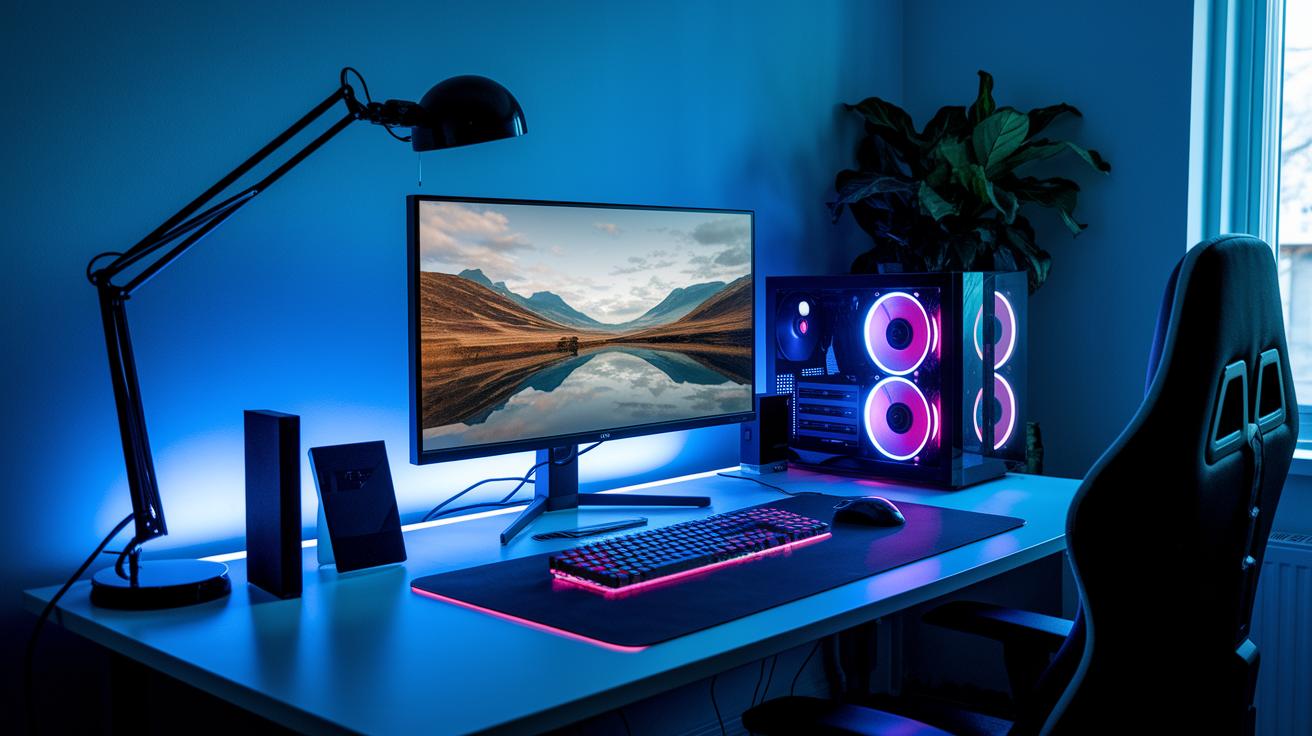
Getting your 27-inch monitor set up right makes a big difference in how you enjoy your games. Start by placing the screen about 3 to 4 feet away so you can see everything clearly without moving your head. This distance not only keeps images sharp but also helps ease eye strain.
If you game on a console, use HDMI 2.1 cables when you can. This lets you get 4K at 120 Hz on devices like the PS5 or Xbox Series X. For PC gamers, match your in-game resolution and refresh rate to your monitor’s native settings for the clearest picture.
Here’s a simple, step-by-step setup:
- Connect your device with the best cable available (HDMI 2.1 for consoles).
- Open your GPU's control panel and enable adaptive sync options like G-Sync or FreeSync to cut down on screen tearing.
- Adjust your in-game graphics settings to match the monitor’s refresh rate and resolution.
- Check that the monitor’s firmware is updated for the most accurate performance.
By paying attention to cable quality, port options, and in-game settings, you can enjoy a vibrant, lag-free gaming experience that makes the most of your new monitor.
Price Categories and Best Value 27-Inch Gaming Monitors
We split 27-inch gaming monitors into three clear tiers to help you find the best balance between price and performance.
For budget gamers spending under $300, the Gigabyte M27QA ICE is a strong choice. Priced at about $250, it delivers 1440p resolution with a 170Hz refresh rate and reliable video processing. Even on a tight budget, you can enjoy clear images and smooth gameplay.
In the mid-range, with monitors costing between $300 and $500, options like the AOC 27G2SPU and MSI MAG 275CQRF-QD offer solid 1440p performance. They’re well-suited for both casual and competitive play due to their steady refresh rates and accurate color reproduction.
If you’re after advanced features and don’t mind spending over $600, high-end models such as the Asus ROG Swift PG27AQDP and Cooler Master Tempest GP27U are worth checking out. They include options like OLED or 4K panels, HDR support, and enhanced firmware controls. Notably, the MSI MAG 274QP X24 now has a price drop in North America, making its 240Hz QD-OLED display more accessible.
| Tier | Key Models | Price Range | Main Features |
|---|---|---|---|
| Budget | Gigabyte M27QA ICE | Under $300 | 1440p resolution, 170Hz, solid video processing |
| Mid-Range | AOC 27G2SPU, MSI MAG 275CQRF-QD | $300 – $500 | 1440p performance, reliable refresh rates, strong color accuracy |
| High-End | Asus ROG Swift PG27AQDP, Cooler Master Tempest GP27U, MSI MAG 274QP X24 (current price drop) |
$600+ | OLED/4K, HDR support, advanced features, 240Hz QD-OLED option |
Final Words
In the action, we reviewed key trade-offs between performance and desk space while focusing on resolution, refresh rate, and panel technology. We covered adaptive sync options, ergonomic design, and optimal setup tips to help you fine-tune your rig. We also broke down price categories and value tradeoffs for a 27 inch gaming monitor. Each section aimed to give clear and measurable data so you can match specs with your gaming needs. Enjoy tailoring your setup and gaming with confidence.
FAQ
What does a 27-inch gaming monitor with a 144Hz refresh rate offer?
The 27-inch gaming monitor with a 144Hz refresh rate offers smooth motion and responsiveness ideal for both competitive and casual games. It minimizes ghosting and delivers fluid visuals.
Which is considered the best overall 27-inch gaming monitor?
The best overall 27-inch gaming monitor combines high resolution, fast refresh rates, and excellent color accuracy while balancing performance with desk space, catering to both budget and premium setups.
What benefits does a 27-inch gaming monitor with 4K resolution offer?
The 27-inch gaming monitor in 4K delivers stunning detail and crisp visuals for immersive gaming. It is best paired with a powerful GPU and appeals to gamers seeking high image clarity.
How does a 27-inch gaming monitor with a 240Hz or 200Hz refresh rate impact gameplay?
The 27-inch gaming monitor with a 240Hz or 200Hz refresh rate provides ultra-smooth motion and rapid response, which enhances competitive gameplay by delivering every millisecond advantage.
What advantages do curved 27-inch gaming monitors offer?
Curved 27-inch gaming monitors offer an immersive viewing experience by surrounding your field of vision. They reduce glare and help maintain focus during extended gaming sessions.
How do 27-inch gaming monitors with different refresh rates like 144Hz, 180Hz, and 200Hz compare?
The comparison of 27-inch gaming monitors with refresh rates of 144Hz, 180Hz, and 200Hz shows that higher refresh rates deliver smoother gameplay but may cost more, striking a balance between performance and budget.
What are the key features of models such as the Samsung S27C394EAN and the LG UltraGear QHD 180Hz monitor?
The Samsung S27C394EAN features a 27-inch VA panel with a 75Hz refresh and tilt adjustment for everyday use, while the LG UltraGear offers QHD resolution, a 180Hz refresh rate with 1ms response and FreeSync for responsive gaming.
How do various Samsung monitor models compare in their specs?
Samsung monitor models vary widely; some focus on Quad HD clarity, while others optimize refresh rate, ergonomics, or screen curvature. It’s best to select one that aligns with your specific gaming needs and budget.
