
Ever feel like your gaming gear might be slowing you down? Razer products mix sleek design with the kind of accuracy you need to win. Picture a mouse that moves as quickly as your instincts or a headset that makes your setup really stand out. We looked at gear that offers fast responses, customizable RGB lighting, and solid builds designed for competitive play. Find out how Razer can help you shave off those crucial milliseconds when every moment counts.
2. razer gaming peripherals Elevate Your Play

Razer offers a range of gaming gear that mixes bold looks with high performance. Their all-black design, highlighted with up to 16 million Chroma colors, makes any setup pop. Two standout models are the Kraken Kitty V2 RGB Gaming Headset, complete with fun Gengar spikes, and the BlackWidow V4 HyperSpeed Wireless Keyboard, which is built for speed and tough use.
At the heart of these products is precision. The DeathAdder V4 Pro Ultra Lightweight Wireless Mouse weighs just 69 g and features a Focus+ optical sensor with 26,000 DPI (a measure of how finely it detects movement). It also has HyperSpeed wireless technology with less than 1 ms latency, offering fast and accurate tracking that can make all the difference in competitive play.
For those who prefer controllers, Razer provides strong options as well. The Wolverine V3 TE 8K Wired Controller and the Wolverine V3 Pro 8K Esports Controller (its wireless version) include 8K HyperPolling (checking inputs 8,000 times per second), adjustable triggers, and swappable multi-function buttons, all designed to keep your inputs fast and customizable.
Razer also has gear for an immersive experience beyond just the basics. The BlackShark V3 Pro headset delivers clear, competitive audio, the Thunderbolt 5 Dock speeds up data transfer, and the Razer Blade 14 (2025) packs powerful performance into a portable laptop. For added comfort, the Pro Click V2 ergonomic mice come in both vertical and right-handed designs.
Key points:
- Ultra-low latency (<1 ms in wireless setups) and high polling rates (8K) ensure top-notch responsiveness.
- Extensive RGB lighting lets you personalize your gear.
- A mix of wired and wireless options helps you build a setup that fits your needs.
Razer gaming peripherals combine solid performance with stylish design, making them a great pick for gamers who demand reliability and speed during play.
Razer Gaming Peripherals: In-Depth Keyboard Reviews
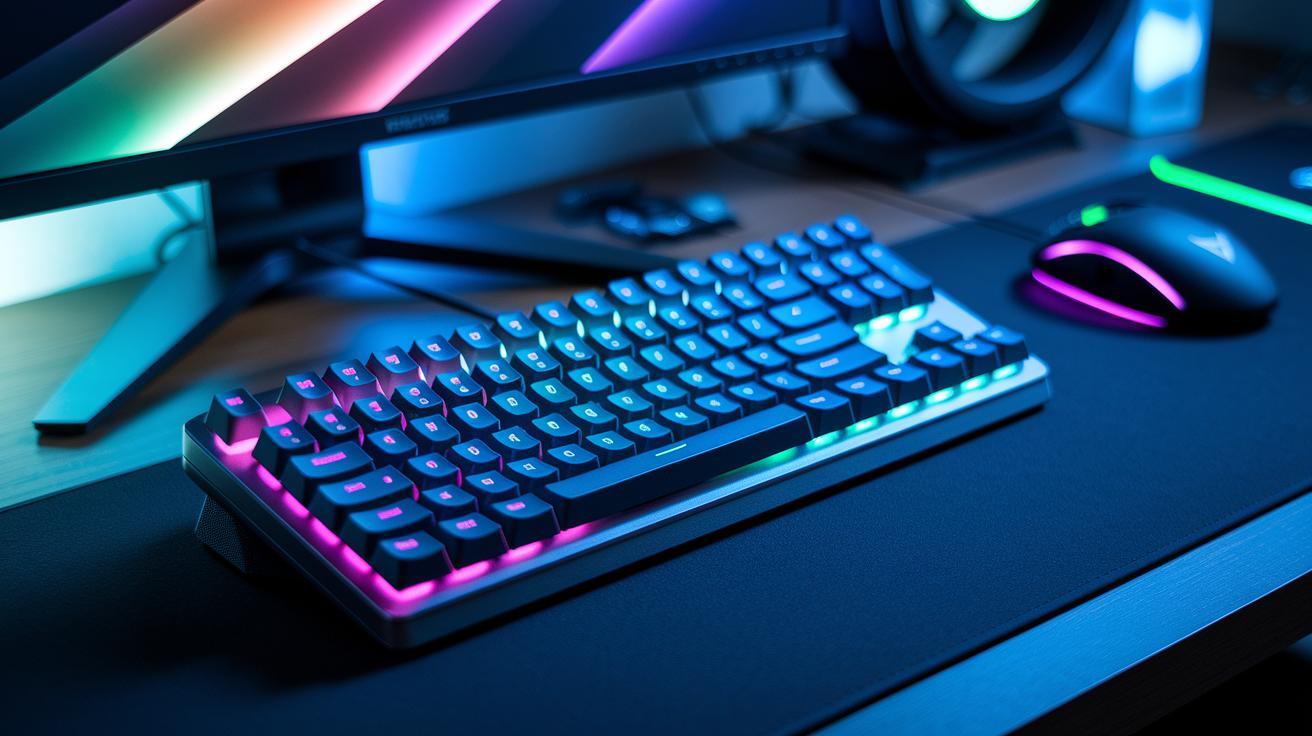
The BlackWidow V4 HyperSpeed Wireless Keyboard heads up the group with its new Mecha-Membrane switches rated for 80 million keystrokes. These switches blend the crisp click of mechanical keys with the softer feel of membrane types. It also features full anti-ghosting, ensuring every key press is recognized correctly even when many keys are hit at once, a big plus for fast gaming and smooth custom commands.
Each key boasts its own Chroma RGB lighting, so you can easily set different colors and effects to match your gaming vibe. Whether you're switching up lighting zones for different games or syncing with other Razer gear, it’s simple to personalize. The built-in macro recording makes handling complex moves really easy. Record a combo with one press, save the profile, and use it repeatedly in tight competitive moments.
Driver updates and custom settings are handled through Synapse 3, a straightforward hub for managing your profiles. To update, just open Synapse 3, select the update option, and follow the instructions. With ultra-low wireless latency (less than 1 ms), the keyboard stays responsive throughout your game. Setting up macros is equally hassle-free: assign keys, test your setup, and sync your profiles across devices for consistent performance. The mix of rugged mechanical parts, detailed RGB options, and smooth software integration makes the BlackWidow V4 a smart choice for gamers who want both style and reliable function.
Razer Gaming Peripherals: Mouse Precision and Performance Analysis

The DeathAdder V4 Pro Ultra Lightweight Wireless Mouse stands out for its precise tracking and adjustable performance. Weighing just 69 g, it packs a 26,000 DPI Focus+ optical sensor (DPI stands for dots per inch, a measure of sensitivity) that delivers smooth, consistent cursor movement. In our tests, switching between low and high sensitivity settings was immediate and accurate.
The mouse also features onboard profile storage so you can easily switch between custom settings for different game genres, whether you need sniping precision or rapid movement for fast-paced action. Its customizable grip panels offer a tailored feel, giving you a secure hold without sacrificing maneuverability, even in high-pressure situations.
Battery life is another strong suit. With up to 200 hours of use on a single charge, it easily handles long gaming sessions. The HyperSpeed wireless technology brings latency of less than 1 ms, which is comparable to wired setups. Our comparison between wired and wireless modes showed almost no difference in responsiveness, ensuring reliable accuracy regardless of your connection.
Overall, the DeathAdder V4 Pro is engineered for gamers who demand both speed and precision in their mouse performance.
Razer Gaming Peripherals: Audio Quality and Comfort in Headsets

Razer offers headsets with clear sound and lasting comfort, perfect for long gaming sessions. The Kraken Kitty V2 RGB uses THX Spatial Audio and 60 mm drivers (small speakers that create sound) to deliver a wide, immersive soundstage. Its built-in Chroma lighting syncs with your gaming setup, adding extra visual flair while you play.
The BlackShark V3 Pro delivers true wireless freedom with HyperSpeed connectivity and crisp 7.1 surround sound, making every in-game sound distinct and directional. Its memory-foam cushions hold up well during long sessions by relieving pressure on your ears, a point many gamers have noted. Meanwhile, the BlackShark V2 HyperSpeed features a sturdy aluminum frame and maintains latency under 60 ms (the delay between action and sound), which is key for competitive play.
Microphone quality on these headsets is consistently clear, ensuring your voice stays understandable even in busy multiplayer games. User feedback shows that these headsets balance strong audio performance with an ergonomic design that suits both casual and pro gamers. Standard warranty and support back these models with responsive service. Overall, the blend of high-fidelity sound, vibrant lighting options, and enduring comfort makes for a boosted competitive gaming experience.
Razer Gaming Peripherals: Controllers and Keypads for Competitive Play

We previously looked at Razer's controllers. Today, we turn our attention to the Tartarus V2 keypad. This tool features 32 programmable mecha-membrane keys that let you assign almost any function to a single press. It’s like having full control over your game at your fingertips.
Keeping your device in top shape is simple. To update your drivers and firmware, follow these steps:
- Open your device management tool.
- Select the controller or keypad.
- Check for updates and follow the on-screen instructions.
These easy steps help ensure smooth performance without needing to re-read our earlier controller details.
Razer Gaming Peripherals: Customization with Synapse and Chroma

Synapse 3 unites all your Razer gear in one simple interface. With Chroma Studio, you can build and sync custom lighting profiles that work like a mini light show, where every color change happens right when you need it.
Hypershift layers make switching between profiles a snap. Assign extra functions to a key, and toggle them with a single press. Plus, saving your settings to the cloud means your profiles go with you, no matter which machine you use.
If you’re setting up macros or fine-tuning RGB zones, Synapse 3 keeps things straightforward. You can update firmware and drivers directly from the app, which saves time and keeps performance sharp. And when glitches occur, the built-in repair tool and log export help you pinpoint any issues quickly so you can jump right back into the action.
Customize every detail, from dynamic lighting effects to unique macro setups. The integrated tools in Synapse 3 let you sync your settings across all devices, delivering a responsive experience that adapts to your play style.
Razer Gaming Peripherals: Wired vs. Wireless Connectivity Comparison

Razer offers connectivity choices that match different play styles. Their HyperSpeed 2.4 GHz wireless connection has a latency under 1 ms, so it behaves much like a wired connection with 1000 Hz polling. This keeps your inputs crisp, whether you’re in a fast-paced shooter or a strategy game that demands precision.
Some models also include Bluetooth. However, you might need a few extra steps to complete the pairing if issues arise. Magnetic dock systems make it easy to swap between wired and wireless modes, saving time when you switch from a fixed setup to a mobile one.
Battery life is another strong suit. Headsets usually run for about 50 hours, while mice can keep going for up to 200 hours on a single charge. Razer’s pairing process is straightforward, helping you swap accessories without missing a beat.
- Wired connections offer stable, constant polling.
- Wireless options deliver ultra-low latency through HyperSpeed 2.4 GHz.
- Magnetic docks enable smooth transitions between modes.
- Battery life: headsets around 50 hours; mice up to 200 hours.
Razer Gaming Peripherals: Pricing Trends, Deals, and Where to Buy
Razer products come with clear price ranges so you can find something that fits your budget. At launch, here's how the prices generally break down:
| Device | Price Range |
|---|---|
| Mice | $79–$199 |
| Keyboards | $99–$229 |
| Headsets | $99–$249 |
During seasonal events like Black Friday and Prime Day, you might see discounts of 20–30%. Bundling multiple devices together also often means extra savings. It helps to monitor trusted retailer sites if you're hunting for marketplace deals.
If you're thinking about the pre-owned market, certified refurbishers can offer devices at discounts of up to 30%. Just be sure to check the seller's reputation and the device's condition first. Look for listings with clear warranty details and test results. For a worry-free experience with full manufacturer support, buying new from authorized retailers is a smart choice.
Final Words
In the action, we explored key aspects of Razer gaming peripherals, from detailed reviews of keyboards, mice, and headsets to hands-on customization with Synapse. We looked at design, performance metrics, pricing trends, and connectivity options, all backed by repeatable tests and real-world results.
Our guide offers clear insights to help you choose devices that match your gaming and productivity needs. Embrace the performance and style these Razer products deliver, and enjoy a more confident, value-driven purchase decision.
FAQ
Razer gaming peripherals for sale
The inquiry about Razer gaming peripherals for sale indicates interest in purchasing devices such as keyboards, mice, headsets, and controllers, available from both authorized online retailers and select brick-and-mortar stores.
Razer peripherals software
The inquiry about Razer peripherals software refers to the apps and drivers that allow users to manage settings, customize lighting, and update firmware across their Razer devices.
Razer gaming PC price
The inquiry about Razer gaming PC price points to the cost range for systems like the Razer Blade, which combine high-performance components with premium design, usually available at competitive market rates.
Razer accessories Bundle
The inquiry about Razer accessories bundles covers package deals that group multiple Razer peripherals at a discounted rate, offering a cost-effective way to upgrade your gaming setup.
Razer Wolverine V2 Pro
The inquiry about the Razer Wolverine V2 Pro highlights a high-performance controller known for its responsive inputs and customizable features, making it a strong contender for dedicated competitive gamers.
Razer Wolverine Ultimate
The inquiry about the Razer Wolverine Ultimate refers to a top-tier gaming controller equipped with premium components and advanced customization options designed for a refined competitive gaming experience.
Razer Wolverine V2 Chroma
The inquiry about the Razer Wolverine V2 Chroma spotlights a variant featuring customizable RGB lighting and a design focused on immersive visual effects along with responsive control for gamers.
Razer store locations
The inquiry about Razer store locations refers to the physical retail outlets where customers can experience and purchase Razer products, as well as explore the full range of gaming peripherals.
What are Razer peripherals?
The inquiry about what Razer peripherals are explains that they include gaming keyboards, mice, headsets, controllers, and other accessories, all designed to enhance gaming performance and customization.
Are gaming peripherals worth it?
The inquiry about whether gaming peripherals are worth it points out that these devices add precision, comfort, and customizable features, which can significantly improve the overall gaming experience.
Is Razer making a handheld console?
The inquiry about Razer making a handheld console reflects interest in a potential portable gaming device; as of now, there have been no official announcements confirming its development.
Are Razer mice good for gaming?
The inquiry about whether Razer mice are good for gaming emphasizes that their high-precision sensors, customizable settings, and ergonomic designs make them a solid choice for serious gamers.
