
Ever notice how some gaming PCs leave you frustrated while others bring pure enjoyment? Building a solid gaming computer means choosing parts that work well together. Every component, from a fast CPU to a steady power supply, impacts your gaming experience. With the right mix of hardware, you'll get smoother frame rates, quicker load times, and overall better performance. Let's review the key factors to consider so you can build a gaming PC that truly delivers.
Essential Gaming PC Hardware Checklist

Building a gaming PC means every part must work well with the others. The way these components interact can affect your frame rates, load times, and overall system stability. A fast CPU and plenty of RAM keep game actions snappy, while a solid GPU delivers the graphics you need for an immersive experience.
It’s important to choose parts that can handle what you throw at them. For example, an NVMe SSD (a high-speed storage drive) cuts load times dramatically compared to older hard drives. A reliable power supply keeps the system steady at peak performance, and good cooling, whether air or liquid, helps maintain safe temperatures during long play sessions.
Here’s a quick rundown of the essentials:
- CPU: Handles game logic and multitasking, which directly affects how smooth your gameplay feels.
- GPU: Provides graphics processing to deliver clear, detailed visuals.
- RAM: Temporarily stores game data, boosting responsiveness.
- NVMe SSD: Speeds up load times with rapid data access for both the operating system and games.
- Motherboard: Connects all the components and allows for future upgrades.
- Power Supply: Delivers stable, sufficient power with room for extra load.
- Cooling Solution: Manages heat to maintain peak performance and longevity.
- Case: Ensures good airflow and space for expanding your system.
When you balance these components right, you build a gaming PC that not only meets performance expectations but also offers smooth gameplay with consistent frames and quick load times.
Evaluating Processor Performance in a Gaming PC
The design of your CPU and its speed (measured in GHz) directly affect how smooth your games play. A processor rated at 3.6 GHz rarely runs at that speed right away because its build and cooling limits come into play. Even a small bump in clock speed can make fast-paced scenes feel noticeably smoother.
When comparing processors, look at the number of cores, how they handle multiple tasks (threads), and what generation they are. Chips with six or eight cores, such as Intel Core i5 or AMD Ryzen 5, offer solid multitasking and game performance. More cores help manage background tasks while your game runs, which can lead to steadier frame rates and shorter load times. Newer generations also use energy more efficiently and keep the chip cooler thanks to improved designs, key points when you play demanding titles or run several apps at once.
Safe overclocking means boosting your CPU carefully beyond its usual speed. Running your processor at its maximum frequency can improve performance if you have proper cooling to keep temperatures in check. In addition, make sure your motherboard’s socket supports potential future upgrades. This helps protect your system’s longevity and keeps your gaming rig flexible for new challenges.
Selecting a Graphics Card for Immersive Play
A strong graphics card makes your games look clear and run smoothly. It handles detailed scenes and brings features like ray tracing (a way to mimic real-life lighting) and AI upscaling (such as DLSS and FSR) into play. Choosing the right GPU means matching it to your display needs. For example, many midrange cards work well for 1080p to 1440p gaming, while GPUs with more VRAM let you push into 4K with richer textures.
| GPU Model | VRAM | Recommended Resolution |
|---|---|---|
| NVIDIA RTX 4060 Ti | 8 GB | 1080p–1440p |
| AMD RX 7600 XT | 8 GB | 1080p–1440p |
| NVIDIA GeForce RTX 4080 | 16 GB | 4K |
Good driver support is just as important as the hardware itself. We tested that GPUs receiving regular updates tend to perform better and remain compatible with new games. Keep your drivers current so your card meets future challenges and delivers steady, immersive visuals.
Memory and Storage Optimization Tips for Gaming PCs

Balanced memory and high-speed storage are key to reducing stutters and cutting down on load times. Fast RAM makes sure game data is ready when you need it, while a speedy SSD helps games start up much quicker.
- Use DDR5 memory to boost data flow and responsiveness.
- Stick with at least 16 GB of DDR5; bump up to 32 GB if you plan on heavy streaming or large open-world games.
- Choose NVMe SSDs for your operating system and key games because they load data up to 5× faster than SATA drives.
- Partition your drives to keep your OS and game files separate, which helps keep things running smoothly.
- Add an HDD alongside your NVMe SSD for storing media and older game libraries that don’t need rapid access.
- Set up your memory in a dual-channel configuration to process data more efficiently.
A tiered storage approach can really boost your gaming setup. Use an NVMe SSD as your main drive for the operating system and the games you play most. Then, rely on a larger HDD for data that isn’t time-sensitive. This strategy keeps your system performing well during long sessions and multitasking, ensuring smooth frame rates and quick load times.
Power Supply and Internal Design for Stability

For a computer with a separate (discrete) graphics card, you usually need a power supply that provides between 350 and 500 W. High-end gaming computers, however, may need more than 800 W. To be safe, we recommend choosing a power supply that has 20 to 30 percent extra capacity compared to your system's maximum power draw. This extra room helps handle quick power surges without straining the unit and keeps the system steady.
Look for power supplies with an 80 Plus Bronze rating or better. This kind of rating means the unit uses energy efficiently and produces less heat. In our tests, these certified units show better dependability when they run under heavy loads.
Good cable management is also important. Keeping cables neat improves airflow in your computer by reducing clutter that can trap heat. It also makes it easier to add or change parts later. For tips on organizing your cables and using your computer's space wisely, you can check out the "how to build a gaming pc" guide. Pairing the right power supply with a smart internal setup is key to building a stable and easily upgradeable gaming system.
Cooling Solutions: Air vs Liquid in Gaming PCs

Standard CPU fans can heat up to 80-90 °C when pushed hard during gaming, which can make performance inconsistent. Air cooling is a straightforward, budget-friendly solution that reliably manages heat for most gamers. In contrast, closed-loop liquid cooling systems work to keep temperatures around 40-60 °C during heavy use, which results in a cooler and quieter system. Custom water loops take this further by offering even lower noise levels and extra room for overclocking, although they do need more regular maintenance.
Each cooling method has its strengths. Air cooling is perfect if you want an easy, cost-effective way to handle normal heat loads. Meanwhile, liquid cooling, including sealed AIO units and custom water loops, is better suited for high-performance setups and overclocked CPUs, keeping things cooler and quieter even during long sessions.
Air Cooling Solutions
Air coolers deliver steady performance and are simple to install with minimal upkeep. They work best for CPUs with moderate Thermal Design Power (TDP) ratings, typically between 95 and 150 W. The main benefits are affordability and ease of use, though they might not provide enough cooling if you plan to push your chip past stock speeds.
Liquid Cooling Solutions
Liquid cooling options range from sealed AIO units, which balance good performance with low maintenance, to custom water loops that deliver top cooling performance and quieter operation. While these systems can handle greater thermal loads, they require regular checks and periodic maintenance to keep running reliably.
Build Quality and Upgrade Potential in Your Gaming PC
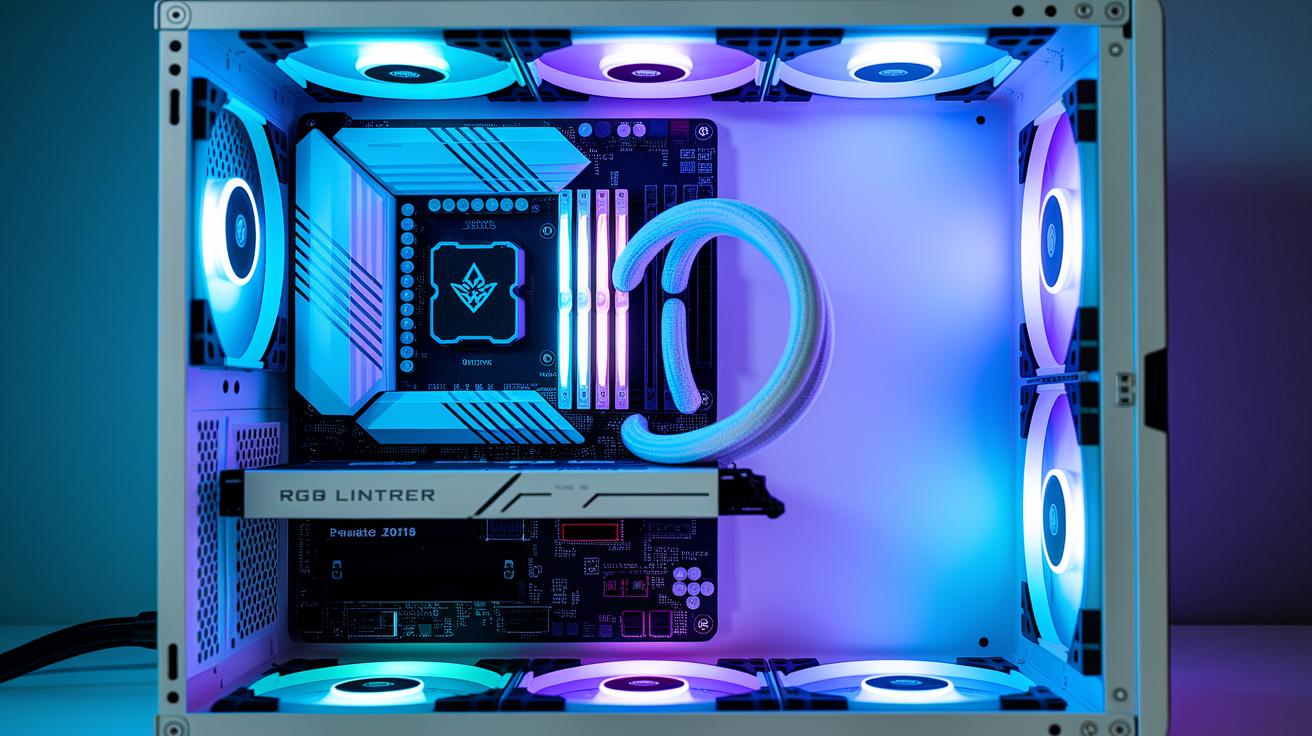
A gaming PC's future-proofing starts with a good motherboard. Pick a board with a versatile socket (the spot where the CPU connects), plenty of PCIe slots (for adding extra cards like GPUs) and extra RAM slots, so you can upgrade as games and software demand more power. A smart choice now means your PC can support current processors like Intel Core or AMD Ryzen and even upgrade to next-gen chips when they arrive. Extra PCIe slots let you add modern network adapters or even another GPU, while a power supply that exceeds current needs gives stable power for future, more demanding components.
The case you use matters, too. A solid chassis with good airflow helps keep temperatures down and gives space for extra fans or a custom liquid-cooling loop. For example, a well-ventilated mid-tower lets you install new cooling solutions or additional expansion cards easily. All in all, planning your build with extra slots and space ensures your system stays adaptable and ready for upgrades down the road.
Display Compatibility and Peripheral Integration for Gaming PCs

Your monitor's resolution and refresh rate work together to deliver smooth visuals with clear detail. High refresh rates above 120 Hz help cut down on motion blur, so pairing them with the right resolution is essential. For example, a 1440p or 4K display combined with a strong graphics card keeps fast scenes crisp and fluid.
When setting up your system, choose ports and cables that support both high resolution and high refresh rates. HDMI 2.1 and DisplayPort provide the extra bandwidth needed for 4K visuals at high Hz, ensuring richer color and quick frame updates. If you plan to use more than one display or add extra devices, make sure your GPU has enough outputs. Using the right cables prevents signal loss and maintains a smooth gaming experience, much like choosing the correct hose helps every drop of water reach your garden.
Adding extra gear such as VR headsets or a multi-monitor setup is straightforward when your GPU supports multiple outputs. Additional USB ports and audio jacks make it easy to connect controllers, keyboards, and headsets, ensuring your entire gaming system operates smoothly together.
Custom Builds vs Preassembled Gaming PCs: Cost and Performance
Custom builds let you pick every single part, which can cut costs by 15–20% and let you match your rig to your gaming style. You can choose top-quality components that ensure great airflow and smooth performance. But if you want a system that's ready to go with a solid warranty and built-in support, preassembled gaming PCs offer that convenience. Many prebuilt models under $1,000 are geared toward smooth 1080p gaming with midrange GPU and CPU combos, although they might come with more generic power supplies and motherboards that can limit future upgrades.
| Aspect | Custom Build | Preassembled |
|---|---|---|
| Cost | You save up to 15–20% and choose each part | Usually comes with a higher price tag, but budget models exist |
| Support | Offers limited warranties on individual pieces | Includes full warranty and ready support |
| Upgrade Ease | Offers a custom chassis with flexible component choices | Often uses standard parts with limited upgrade options |
Balancing initial savings with long-term needs is key. Custom builds give you total control and a clear path for future upgrades, making them ideal if you enjoy building and tinkering with your rig. Preassembled systems, however, provide hassle-free setup and reliable support right out of the box. The choice comes down to whether you value saving money and customization or a worry-free, ready-to-play solution.
Final Words
In the action, we broke down each critical component to guide you through what to look for in a gaming pc. We covered everything from processors and GPUs to memory, storage, power supplies, cooling solutions, and build quality. Each section offered practical tips to balance performance with cost for both custom and preassembled rigs.
This guide helps you match system specs with your gameplay needs, empowering you to build or choose a setup that truly performs. Enjoy building your future gaming experience.
FAQ
What to look for in a gaming pc reddit
The criteria discussed on Reddit include balanced performance, efficient cooling, strong build quality, and clear upgrade paths. These factors create a PC that can handle games smoothly while staying cost-effective.
What to look for in a gaming pc for beginners
The guidelines for beginners focus on midrange components, reliable performance benchmarks, and ease of upgrade. This approach ensures first-time builders get a system that is simple yet capable of handling modern games.
What to look for in a gaming PC 2025
The features for a gaming PC in 2025 will emphasize future-proof components such as next-generation CPUs, robust GPUs, and high-speed NVMe storage to keep up with evolving game requirements and higher frame rates.
What to look for in a gaming PC monitor
The main factors for a gaming PC monitor include a high refresh rate, low input lag, and adaptive sync technology, all of which combine to deliver smooth visuals and reduce motion blur during gameplay.
What to look for in a gaming laptop
The key elements for a gaming laptop are a powerful processor, dedicated graphics card, efficient cooling, and balanced portability. Also, pay attention to battery performance and display refresh rates for an optimal mobile gaming experience.
Best gaming PC under $1000
The best gaming PC under $1000 usually offers a midrange GPU, a solid CPU, 8–16GB of RAM, and fast storage like an NVMe SSD. This setup is designed to deliver smooth 1080p performance without breaking the bank.
How to know if a PC is good for gaming
The indicators of a good gaming PC include a balanced CPU and GPU, ample RAM, efficient cooling, and positive performance benchmarks. These elements ensure that the system can handle demanding games reliably.
Best gaming PC in the world
The top gaming PC in the world combines elite processors, high-end GPUs, plenty of memory, and cutting-edge cooling solutions. Such a system is built to deliver extreme performance and handle the latest games at maximum settings.
What specs to look for in a gaming PC?
The essential specs to consider are a fast CPU, a powerful GPU with sufficient VRAM, at least 16GB of RAM, and quick storage like an NVMe SSD to guarantee smooth gameplay and fast load times.
What to avoid when buying a gaming PC?
It’s wise to avoid systems with unreliable components, inadequate cooling, and limited upgrade potential, as well as overpriced builds that sacrifice balanced performance. Reviewing benchmarks and user feedback helps steer clear of such pitfalls.
Is 32 GB RAM overkill gaming?
The use of 32GB RAM is generally more than needed for standard gaming; however, it can be beneficial for users who multitask or stream games alongside other applications.
Is 500 fps overkill?
Achieving 500 fps is usually more than most setups require since most monitors run at much lower refresh rates, though competitive gamers with high-refresh displays may see some benefits under ideal conditions.
Best Buy, Newegg, Microsoft, Walmart, Target Corporation, eBay
Retailers such as Best Buy, Newegg, Walmart, Target, and eBay offer a range of gaming PCs. Comparing warranties, return policies, and user reviews at these stores can help you find the best offer for your needs.
