
Ever wondered if your gaming setup is slowing you down? New gaming peripherals do more than just look cool. They offer quick response times (the fast reaction between a command and its action) and precise control that helps sharpen your gameplay.
Think of your setup like a small band where every instrument has a role in creating smooth, powerful tunes. Modern gaming devices track your every move accurately and add a bit of style to your desk.
In a game where every click makes a difference, upgrading your gear might be the key to unlocking improved performance.
Why Cool Gaming Peripherals Are Essential for Modern Setups

Cool gaming gear can seriously boost your play. We found that high-DPI mice, such as the Corsair HARPOON RGB Wireless and the Razer DeathAdder V3 Pro, offer fast tracking and very low latency (the delay between moving the mouse and the cursor reacting). Their advanced sensors and responsive buttons help ensure every tiny motion is captured and quickly turned into action, like playing a high-speed song with perfect rhythm.
Upgrading your setup isn’t just about performance. Many of today’s gaming peripherals sport vibrant RGB lighting and sleek designs. This eye-catching look isn’t just for style; dynamic lighting zones can set a mood that pulls you deeper into the game. Imagine a battle scene that lights up exactly when you need that extra energy boost, it turns your desk into a mini arena.
Comfort and durability are just as critical. Ergonomic designs lessen strain during long gaming sessions, while sturdy materials like reinforced metal and water-resistant frames mean these devices can take the heat. Whether it’s a mechanical keyboard or a high-quality mouse, you want gear that works great today and keeps performing as you level up over time.
Sleek Mechanical Keyboards as Cool Gaming Peripherals
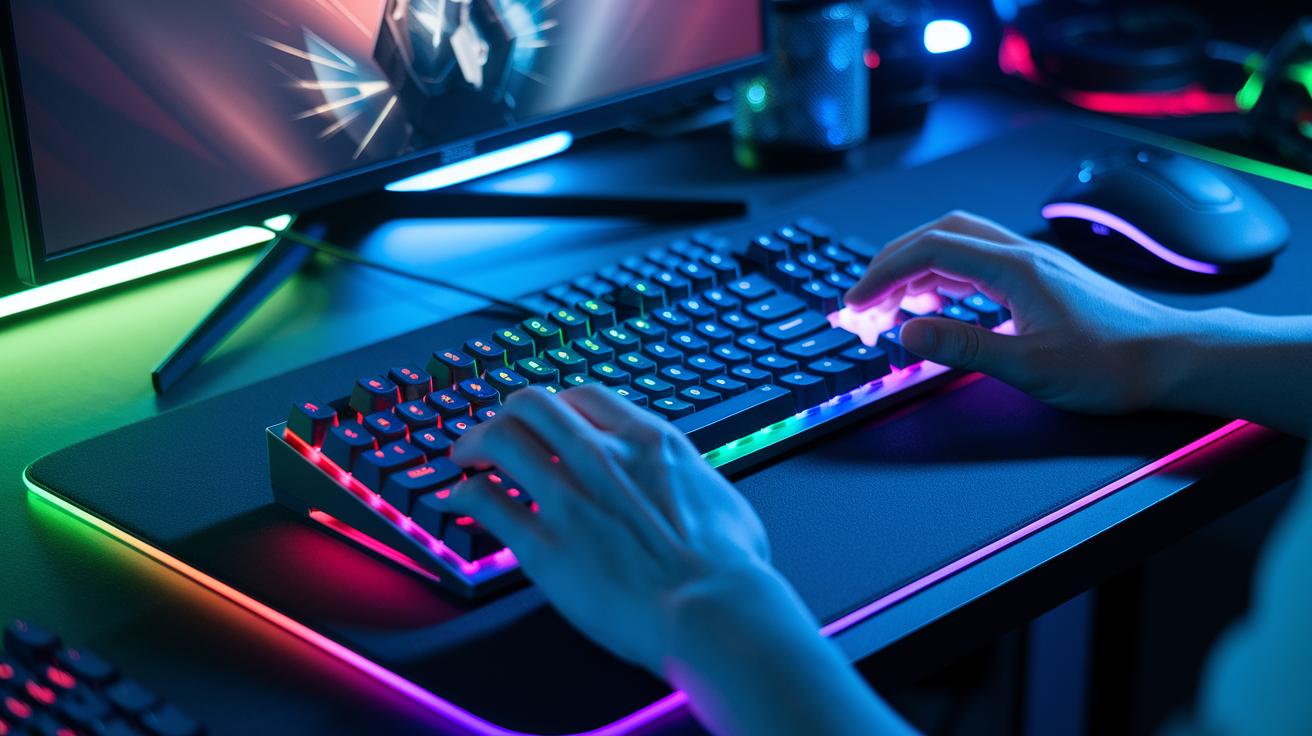
For gamers looking for precise touch and bright lighting, mechanical keyboards deliver quick, responsive keys that enhance every keystroke. They come with switches that give satisfying clicks and clear feedback with each press, making them a solid choice for high-level esports play. Check out our guide on best gaming peripherals for more details.
Many keyboards offer customizable RGB zones so you can easily match the lighting to your setup. With programmable features and responsive switches, you can fine-tune your gaming experience. Plus, water-resistant frames and sturdy builds ensure these keyboards stand up to even the most intense sessions.
- SteelSeries Apex 3: Rated 6/10; water-resistant; customizable RGB
- Redragon K552: Rated 6.5/10; robust metal frame; red mechanical switches
- GAMDIAS HERMES E1A: Offers precision switches and pro-grade durability
These keyboards span various price ranges, build qualities, and user ratings. You can pick a budget-friendly option or opt for a premium model with enhanced performance. Whether you need a water-resistant design or precise tactile feedback, these choices deliver efficient switch types along with vibrant RGB lighting to boost your gaming rig.
Precision Through RGB Illuminated Mice in Cool Gaming Peripherals

Gaming mice with high DPI (dots per inch) let you fine-tune your movements with great accuracy. A high sensor resolution helps you make quick, precise adjustments, while lift-off distance (the height at which tracking stops when you lift the mouse) ensures smooth transitions. A well-designed, comfortable mouse minimizes strain during long sessions and keeps your actions sharp.
For competitive gamers, sensor precision and low latency are essential. These RGB illuminated mice use advanced optical sensors to capture even the tiniest motions and display them on screen with minimal delay. Their ergonomic design supports natural hand movement and reduces fatigue, which is crucial whether you're lining up a headshot or navigating complex controls, every spec makes a difference.
Below is a quick comparison of three leading models:
| Mouse Model | Sensor DPI | Weight | Battery Life | RGB Support |
|---|---|---|---|---|
| Razer DeathAdder V3 Pro | 30K | 63g | 90h | Yes |
| Razer Viper V3 Pro | N/A | N/A | 95h | Yes |
| Alienware Pro Wireless | N/A | <60g | 120h | No |
Choosing between wired and wireless depends on your play style. Wired mice offer steady power with minimal interference, ensuring every millisecond counts. Wireless models, however, provide a cleaner setup and long battery life, making them a great option if you value movement freedom without missing a beat.
Immersive Headsets as Cool Gaming Peripherals for Audio Mastery

Audio drivers and surround sound systems can really change how your game sounds. Headsets with strong audio drivers give clear highs and deep lows, making every game's soundstage feel alive. Whether you're venturing through huge worlds or in the thick of battle, these headsets pull you right into the action.
Comfort matters a lot too. Headsets that use soft cushioning along with sturdy plastics or metal parts make long gaming sessions easier on your ears and head. While some models may not breathe as well as others, ongoing design tweaks help reduce fatigue even during long play sessions.
Wireless performance is also essential. Things like wireless latency (the delay between sending and hearing audio) and mic quality are key for smooth in-game communication. For instance, the ASTRO A50 X LIGHTSPEED delivers stellar audio clarity, scoring 8.5/10, but it can sometimes feel less breathable. Meanwhile, the TUF Gaming H3 Wireless offers about 15 hours of battery life with a steady 7/10 rating. In comparison, the Stealth 600 Gen 2 USB provides decent sound but its mic only scores 7.5/10, and the HyperX Cloud Stinger 2 gets a 5.5/10 for comfort due to a flimsy design.
Next-Gen Gamer Add-Ons & Trendy Controllers in Cool Gaming Peripherals
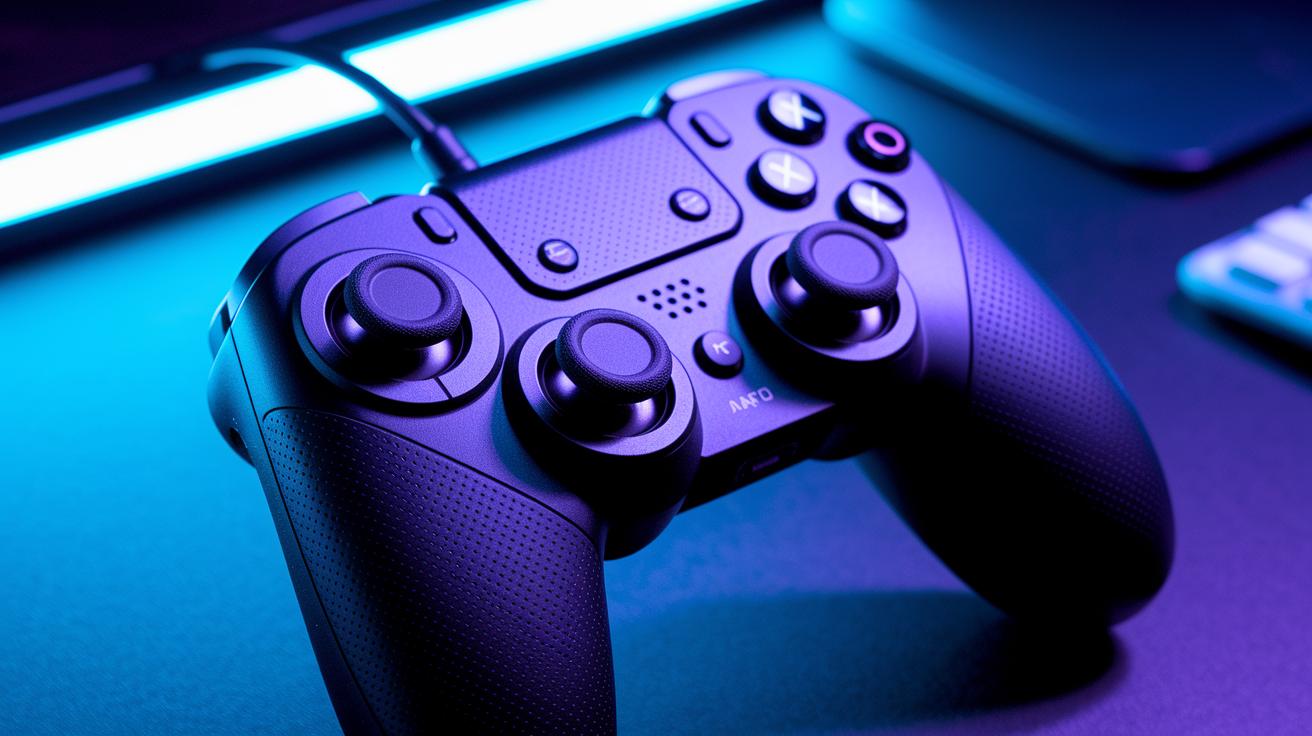
Modern controllers are breaking new ground with a focus on modular design and smart haptic feedback (vibration that feels like real action). For example, the ESWAP X 2 Pro earned a 7/10 score because its swap-friendly thumbsticks let you adjust your grip and control based on your play style. These controllers give you a real feel with tactile feedback and pack plenty of input options for competitive gaming.
We also looked at designs that prioritize connectivity and battery life. The Razer Wolverine V3 Pro, which scored 7.5/10, offers a rich gaming experience with many advanced features. Its battery lasts about 14 hours, so you might need to charge it a bit more often, a small tradeoff for its sleek design and solid performance. On the other hand, the GameSir Nova Lite, rating 6/10, uses Hall-effect thumbsticks (sensors that keep your inputs precise) and lets you game continuously for around 10 hours. These controllers work well with both console setups and custom rigs (learn more at how to build a gaming pc).
When it comes to price versus performance, premium options like the Wolverine V3 Pro are perfect for gamers who need fine-tuned control and tough durability, even though they come with a higher price tag. Budget controllers like the GameSir Nova Lite offer a good balance for casual players, making it easier to match your gaming style with your spending.
Customizable Desktop Tools & Dynamic Lighting as Cool Gaming Peripherals

Dynamic gaming lights, such as the Govee Gaming Wall Light Standard Edition and the Glide Hexagon panels, can instantly boost your setup's vibe. They let you adjust colors and brightness to suit every game scene, creating a lively atmosphere while helping ease eye strain during long sessions. With simple customization options, you can sync the lights with on-screen events so your environment always matches the game.
Ergonomic desk accessories also make a big difference in comfort and organization. Items like the Deltahub Carpio 2.0 and cork pads not only protect your desk but also provide a soft, stable base for your gear. These tools keep your essentials in place and hide messy cables, keeping your workspace neat and focused. Together, adjustable lighting and smart desk setups offer a blend of visual flair and everyday use for an immersive gaming experience.
Expert Tips for Selecting the Best Cool Gaming Peripherals

When picking out gaming gear, start by comparing basic performance features along with any extra benefits. Look for items that boast sturdy build quality, smart features, and dependable support. Budget gamers should check for free shipping, free returns, and clear warranty policies that give extra peace of mind.
After-sale support matters too. Many sellers now offer lifetime warranties and about 60-day returns during the holidays. Serving over 500,000 customers, these services help ensure that you can rely on a quick solution if any issues arise.
For extra savings, keep an eye out for deals like a 10% discount on your first order. Checking expert advice on websites like best gaming peripherals can help steer you toward highly-rated brands and emerging tech trends while keeping your budget in check.
Final Words
In the action, we reviewed top performance boosters and design innovations in cool gaming peripherals. We dove into mechanical keyboards, RGB mice, immersive headsets, and advanced controllers that blend speed with comfort. We also examined desktop tools that add custom flair without breaking the bank.
Our guide offers clear advice and measurable tradeoffs for every budget. Enjoy the upgrade and boost your gaming experience with these cool gaming peripherals.
FAQ
What do cool gaming peripherals on Reddit refer to?
Cool gaming peripherals on Reddit refer to high-tech PC add-ons like RGB mice, mechanical keyboards, immersive headsets, and ergonomic desk tools that boost performance, elevate visuals, and deliver lasting comfort.
What are the best gaming accessories for PC users?
The best gaming accessories for PC users include high-DPI mice, rapid-response keyboards, precision headsets, and customizable lighting, all designed to enhance gameplay, improve reaction times, and offer durable, stylish design.
How do cool gaming peripherals on Amazon compare in terms of quality and price?
Cool gaming peripherals on Amazon range from budget-friendly picks to pro-tier gear, offering high performance, modern design, and varied price points so gamers can choose products that best match their setup and budget.
What should be included on a gaming setup accessories list?
A gaming setup accessories list should feature performance enhancers like precision sensors, RGB lighting, ergonomic peripherals, and customizable desktop tools, ensuring a balance of aesthetics, comfort, and technical upgrades for any gaming rig.
What are the top gaming accessories brands known for their quality?
Top gaming accessories brands are recognized for reliable performance, stylish design, and robust build quality, offering a mix of budget and premium options that consistently deliver enhanced gaming experience and durability.
